
Applicant Tracking and Hiring Pipeline
On this page
What is the CloudHire hiring pipeline?
CloudHire's applicant tracking system organises every candidate into a three-phase hiring pipeline, Search, Screen and Finalize, spanning ten stages from Sourced to Offered. Recruiters work the pipeline in List or Kanban view with drag-and-drop, while CloudHire sends origin-aware automated emails at each stage transition and keeps a full audit of every move, revert and skip.
The design principle is that a pipeline should describe how hiring actually happens, not just where resumes are stored. Each phase answers a different question: Search asks who exists, Screen asks who is good, Finalize asks who gets the offer. Automation is attached to the transitions between stages, so the administrative work, the invite emails, the rejection notes, the scheduling messages, happens as a side effect of moving a card.
This guide walks through the stages, the views, the automated emails, the review queue and the job-posting flow that feeds it all. For the full library, see the CloudHire guides for businesses hub.
Three phases, ten stages
Search: building the pool
The Search phase holds three stages: Sourced, for candidates found through outbound sourcing; Cloud-ID Suggested, for verified candidates the platform proposes from its Cloud-ID network; and Applied, for inbound applicants. Keeping these separate matters because a sourced candidate and an applicant need different first messages, which is exactly what origin-aware emails handle later. The Cloud-ID stages are covered in depth in the Cloud-ID verified hiring guide and on the Cloud-ID product page.
Screen: separating signal from volume
Screen contains Behaviour Round, Shortlist, Cloud-ID Invited and Interview Scheduled. The behaviour round is where AI-led assessment happens, described fully in the AI interviews and proctoring guide, and Interview Scheduled marks candidates with a confirmed slot on the calendar.
Finalize: decisions
Finalize holds Evaluating, Offered and Rejected. Evaluating is the deliberation stage after interviews, Offered triggers the offer email, and Rejected closes the loop, with CloudHire's feedback mechanism making that closure more useful to the candidate than a form letter.
The pipeline at a glance
| Phase | Stages | What happens here | Key automation |
|---|---|---|---|
| Search | Sourced, Cloud-ID Suggested, Applied | The candidate pool forms from sourcing, Cloud-ID suggestions and inbound applications | Source badges, origin captured for later email tone |
| Screen | Behaviour Round, Shortlist, Cloud-ID Invited, Interview Scheduled | Assessment, shortlisting and interview scheduling | Behaviour-round email, interview invite, calendar booking email |
| Finalize | Evaluating, Offered, Rejected | Post-interview evaluation and the final decision | Offer email, early and post-interview rejection emails with feedback |
Working the pipeline: List, Kanban and bulk moves
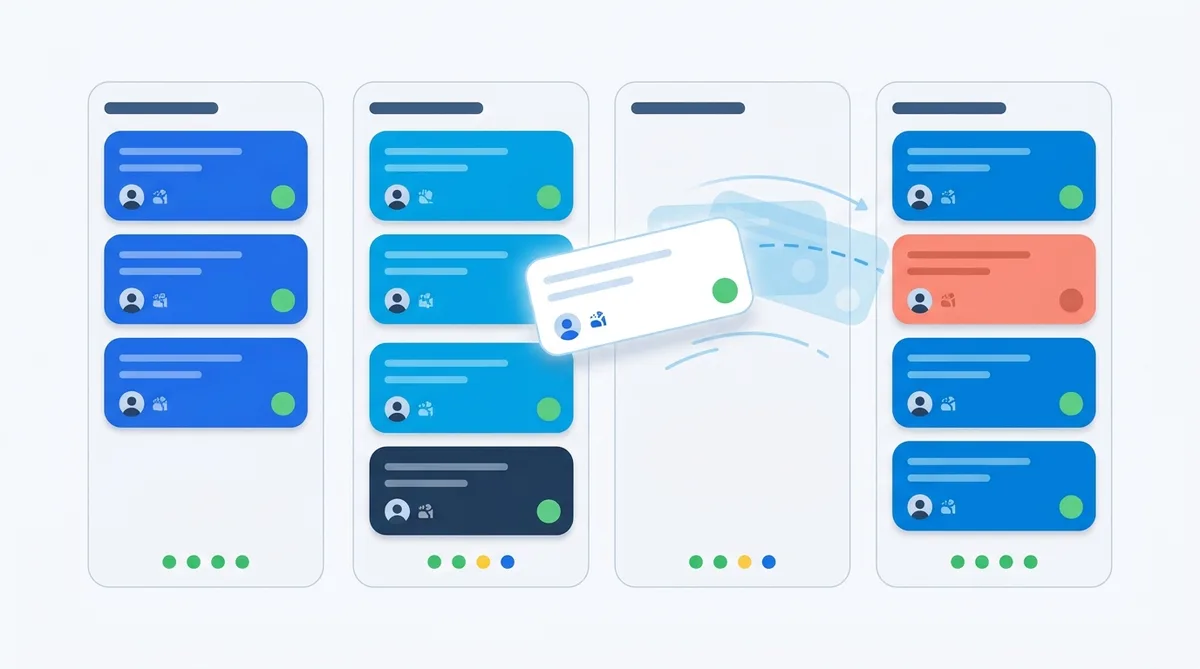
CloudHire offers two views of the same pipeline. List view suits high-volume triage, scanning many candidates with their scores and source badges in rows. Kanban view lays the stages out as columns with drag-and-drop, which suits teams that think spatially about where each candidate stands.
- Bulk moves shift many candidates between stages at once, with limit handling so oversized batches are managed gracefully rather than silently failing
- Pipeline stats show the count and distribution of candidates per stage for each job
- An activity feed streams recent actions on the job
- A full audit records every move, revert and skip, so a hiring decision can always be reconstructed after the fact
The audit trail is a quiet but important feature: when a hiring manager asks why a candidate was rejected in week two, the answer is in the record, not in anyone's memory. Reverts are first-class citizens in that record too, so a candidate moved to Rejected by mistake can be restored to their previous stage with the correction itself logged, rather than the history quietly rewritten.
Teams typically split the two views by job type: Kanban for the handful of senior roles where each candidate is discussed individually, List for the high-volume roles where the review queue and bulk moves do the heavy lifting. Because both views sit on the same pipeline data, switching costs nothing and the automation behaves identically in either.
Automated, origin-aware stage emails
Every meaningful stage transition can send an email without the recruiter writing one: the behaviour-round invitation, the interview invite, the calendar booking message, the offer, and rejections both early (before interview) and post-interview. Emails support variables and show a preview before anything goes out.
What makes CloudHire's automation unusual is that it is origin-aware: the candidate's origin sets the tone of the automated message. A candidate who applied to you is addressed as an applicant being progressed; a candidate CloudHire sourced is addressed as someone being introduced to an opportunity. The same stage transition produces appropriately different messages, which protects response rates and the employer brand simultaneously.
Two honest caveats on roadmap status. Per-job email template overrides, letting one role use different copy than the workspace default, are in beta. Candidate self-scheduling via a booking link is planned but not yet live; today scheduling runs through the calendar booking email. For outreach beyond these transactional messages, multi-step sequences across email, WhatsApp, AI calls and LinkedIn are covered in the multi-channel candidate outreach guide, and a sequence attached to a job enrols applicants automatically after an interview invite.
The fullscreen review queue
For jobs with hundreds of applicants, CloudHire provides a fullscreen review queue built for speed. The screen splits: the resume on one side, the structured candidate profile on the other. Keyboard shortcuts drive every action, and when you move or reject a candidate the queue auto-advances to the next one, so a recruiter processes applicants in a continuous flow instead of opening and closing profiles. Candidate scores, explained on the candidate scoring page, sit alongside the profile to anchor each decision.
Rejecting with real feedback
Rejection in CloudHire can carry substance. The platform drafts an honest areas-to-focus-on note from the candidate's missing skills and flagged concerns, and the recruiter can edit it before it sends. Candidates get something actionable instead of silence, and the employer's rejection emails stop reading like legal boilerplate.
Bulk resume upload
Teams migrating from email-based hiring or another system can upload a ZIP of resumes to a job. CloudHire parses each file into a structured profile and scores it against the role, so the upload lands as a ranked candidate list in the pipeline, ready for the review queue, not as a folder of attachments to open one by one. This is usually the first hour of a CloudHire migration: drop in the backlog, open the review queue, and clear in an afternoon what had been sitting unread for weeks.
Posting the job that feeds the pipeline
The pipeline starts with the job itself, and CloudHire's five-step job wizard covers intake, details, interview setup, screening questions and review. You can start from almost anything: a job title, a free-text prompt, a pasted job description, or an uploaded PDF, DOC, DOCX or TXT file. CloudHire generates the job description with AI and hands you a rich-text editor to shape it.
- Drafts and autosave, so a half-finished job is never lost
- Field-level edit history on the posting
- Publishing of promoted posts to LinkedIn
- Careers-site ingestion, pulling roles from your existing careers page
- A hosted public application flow, so you can collect applications without building a form
Every applicant arrives wearing a source badge, job board, LinkedIn, Naukri, client-sourced, CloudHire-sourced or direct, which is what powers origin-aware emails downstream. Syndication beyond LinkedIn is in beta, with Naukri and Monster first and Indeed next; current distribution options are listed on the job board integrations page.
Where the pipeline fits
The pipeline is the spine of CloudHire: sourcing and outreach fill its left side, AI interviews and scoring inform the middle, and offers close it out on the right. Because every stage transition is an event, the pipeline also drives integrations, webhooks fire on pipeline events and ATS sync mirrors stages externally, as covered in the integrations, API and security guide.
To see the pipeline working against your own open roles, with your own resume backlog loaded in, book a walkthrough with the CloudHire team.
Frequently asked questions
What stages does the CloudHire hiring pipeline include?
CloudHire organises candidates across three phases and ten stages. Search holds Sourced, Cloud-ID Suggested and Applied. Screen holds Behaviour Round, Shortlist, Cloud-ID Invited and Interview Scheduled. Finalize holds Evaluating, Offered and Rejected. Recruiters move candidates through these stages in List or Kanban view, and every move, revert and skip is recorded in a full audit trail.
Does CloudHire send emails automatically when a candidate changes stage?
Yes. Stage transitions trigger automated emails for the behaviour round, interview invites, calendar booking, offers, and both early and post-interview rejections. Emails support variables and a preview before sending, and they are origin-aware: the tone adapts to whether the candidate applied directly, was sourced by CloudHire, or came from a client list. Per-job template overrides are currently in beta.
Can I import resumes in bulk into CloudHire?
Yes. CloudHire accepts a ZIP of resumes and turns it into parsed, scored candidate profiles inside the job's pipeline. Each resume is read into structured fields and scored against the role, so a folder of applications from another system or an inbox becomes a ranked, workable candidate list rather than a stack of unread files.
What is the CloudHire review queue?
The review queue is a fullscreen mode for processing applicants quickly. The resume sits on one side and the candidate profile on the other, keyboard shortcuts drive every action, and moving or rejecting a candidate auto-advances to the next one. Rejections can include an honest, editable feedback note listing areas to focus on, generated from missing skills and red flags.
Can candidates schedule interviews themselves in CloudHire?
Not yet. Candidate self-scheduling via a booking link is on the CloudHire roadmap and is not live today. Currently, interview scheduling runs through stage-transition emails, including a calendar booking message sent when a candidate reaches the interview stage, with Google Calendar handling the scheduling on the recruiter's side.
Related guides


See CloudHire on your own roles
Search candidates, run AI interviews and launch outreach on one platform — free to start, no demo call required.